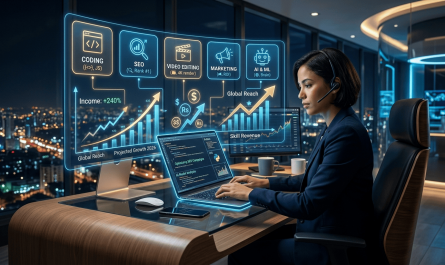
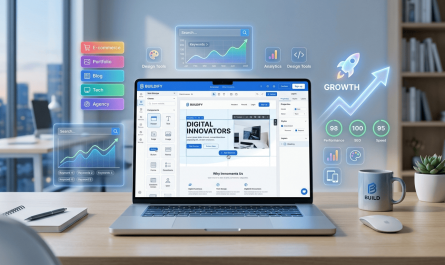
Artificial Intelligence has completely transformed how creators make visuals and videos. In 2026, AI image and video generator tools are not just novelties — they are essential creative engines for bloggers, YouTubers, marketers, designers, and digital artists. These tools help you produce professional-quality content faster, cheaper, and with more creative control than ever before.
In this comprehensive SEO article, we’ll cover the top tools, benefits, real-world use cases, and tips for creators who want to stay ahead in 2026 and beyond.
🚀 What Are AI Image and Video Generator Tools?
AI image and video generators use machine learning models to create visuals and videos from text prompts, reference images, or scripts. These tools can:
- Generate unique images and cinematic videos
- Transform text into story-driven visuals
- Animate static images
- Repurpose existing media into fresh formats
These capabilities make them ideal for content creators looking to scale output without hiring expensive designers or editors.
🎨 Top AI Image Generator Tools in 2026
🖼️ Midjourney
One of the most beloved AI image platforms, Midjourney continues to excel at artistic, high-quality image creation. It’s perfect for thumbnails, concept art, social media visuals, and branding assets.
Best for:
- Visual storytelling
- Artistic and stylized content
- Creative concept designs
Use case: A travel blogger generates custom illustrations for each destination post without needing a designer.
🧠 Gemini (Nano Banana Pro)
Praised for its prompt accuracy and readable text rendering, Gemini is ideal for creators who want control over detailed visual elements.
Best for:
- Marketing visuals
- Infographics
- Detailed design assets
Use case: An e-commerce marketer creates product visuals and promotional banners with consistent brand style.
🖌️ Adobe Firefly
Adobe Firefly stands out with licensed, commercially safe outputs, integrated directly into Creative Cloud apps like Photoshop.
Best for:
- Professional design workflows
- Commercial projects
- Print and digital campaigns
Use case: A graphic designer quickly produces client-ready images that are safe for commercial use.
🎥 Top AI Video Generator Tools in 2026
🎬 Runway
Runway is a powerhouse for both generation and editing — meaning creators can produce, edit, and refine video all in one platform.
Best for:
- Storytelling
- Motion graphics
- Post-production workflows
Use case: A YouTuber creates engaging social videos and B-roll footage without switching tools.
🌀 Pika
Pika is great for short-form content and quick video generation — perfect for TikTok, Instagram Reels, and Shorts.
Best for:
- Social media content
- Quick visual experiments
- Trend-driven clips
Use case: A social media creator generates viral-ready clips from a text prompt in minutes.
📹 Sozee.ai
Sozee.ai specializes in hyper-realistic video generation from a few photos, making it a strong choice for personal branding and creator likeness videos.
Best for:
- Personalized content
- Branded storytelling
- Influencer videos
Use case: A fitness influencer creates daily workout videos using just a few reference photos.
📌 Other Noteworthy Tools
AI video creation is evolving fast. Alternatives like Veed.io combine editing, subtitles, and AI generation into one workflow, while emerging platforms continue pushing realism and automation.
💡 Key Benefits of Using AI Image & Video Tools
1. Speed and Efficiency
AI dramatically reduces creation time. What used to take hours — like designing graphics or editing footage — now takes minutes.
Benefit:
- Faster content turnaround
- More output with less effort
2. Lower Production Costs
Traditional design and video production can be expensive. AI tools cut costs by eliminating the need for professional studios or freelancers.
Benefit:
- Better ROI for creators
- Lower financial barrier to entry
3. Scalability
Creators can generate multiple assets from a single idea — ideal for blogs, social media, and ad campaigns.
Benefit:
- Higher content volume
- Consistent branding
4. Creative Exploration
AI allows you to test different visual styles, tones, and formats without committing to lengthy production.
Benefit:
- Experimentation with minimal risk
- Endless creative variations
📌 Real Use Cases for Creators
🎥 YouTube Content Production
Creators can use AI tools to generate intros, B-roll, thumbnails, and even animated explainers — all without traditional video gear.
Example: A tech YouTuber uses Runway to produce AI-generated product demos and animated graphics.
📸 Social Media Growth
Short, eye-catching clips from tools like Pika help creators grow on TikTok and Instagram, where visuals drive engagement.
Example: A lifestyle influencer generates daily mini-vlogs with AI-produced transitions and captions.
🛍️ E-Commerce Visuals
Online store owners can generate product visuals, ads, and promotional videos that convert better than stock content.
Example: A small business uses AI images for ad creatives and video snippets for Facebook campaigns.
🎨 Brand Identity Development
AI image generators help build consistent brand aesthetics across platforms.
Example: A design blogger creates a full set of branded visuals for a new series using Midjourney.
🧠 Tips for Creators to Maximize AI Tools
✍️ 1. Master Prompt Crafting
The better your prompts, the better your results. Use clear descriptions, styles, and references.
Tip: Include mood, color palette, and specific objects in your prompts for more accurate outputs.
🎯 2. Combine Tools for Workflow Power
No single tool does everything. Use image generators for still visuals and video tools for motion — then edit them together.
Example: Generate an image with Gemini, animate it in Runway, and add subtitles with Veed.io.
📈 3. Repurpose Across Platforms
Turn one asset into many:
- Blog header → social carousel
- Short clip → long video
- Image series → animated slideshow
Benefit: More reach with less work.
🛡️ 4. Stay Ethical and Compliant
Always ensure your AI-generated content is safe to use commercially, especially if monetizing or selling products.
Tip: Prefer tools with licensed or proprietary content to avoid copyright issues.
💼 5. Integrate with SEO and Branding
Use AI visuals to support SEO content — featured images, infographics, and video embeds increase engagement and search performance.
📊 Final Thoughts
AI image and video generators in 2026 are game-changers for creators. They empower you to produce professional visuals without a steep learning curve or high costs. Whether you’re a blogger, marketer, or social media influencer, these tools unlock creative potential and scale your content strategy.
By combining the right tools with smart workflows and SEO optimization, you can stand out in a crowded digital landscape and grow your audience faster than ever.
NEXT ARTICLE: Top Digital Marketing Strategies to Grow Your Online Business Fast
❤️ Learn More